
Why Visual Cloud Infrastructure Beats Infrastructure as Code and YAML for Most Teams
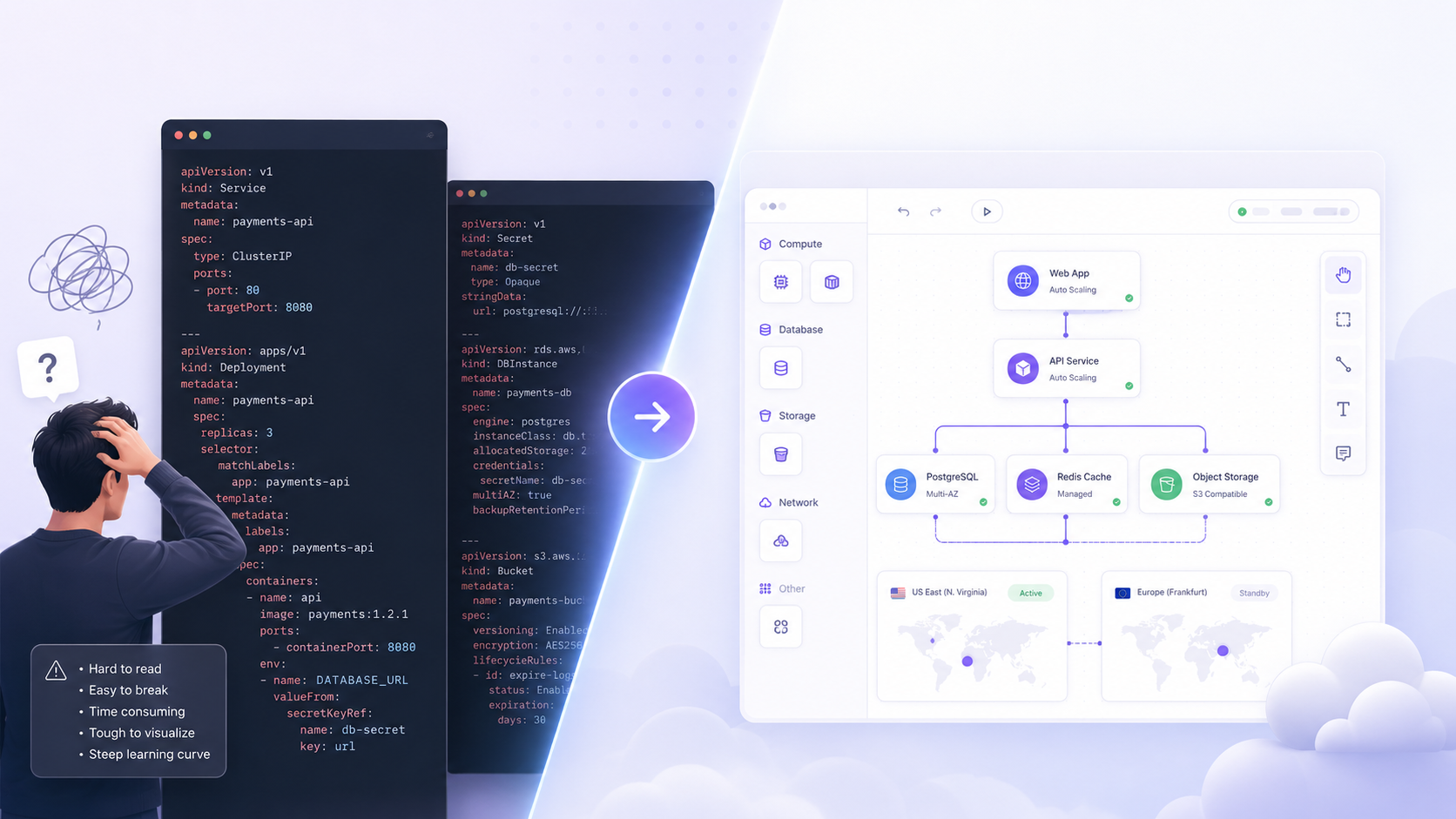
Infrastructure as Code changed the way teams build and manage cloud infrastructure. It gave engineering teams a repeatable, version-controlled way to define servers, databases, networks, storage, permissions, and deployment environments. For many organizations, tools like Terraform became the standard way to move away from manual cloud console work and toward automated infrastructure management.
That shift was important.
Before Infrastructure as Code, infrastructure knowledge was often scattered across dashboards, scripts, internal documents, and the memories of senior engineers. Environments were difficult to reproduce, manual changes created drift, and rebuilding production-like systems was slow and risky. IaC introduced structure where cloud operations previously depended too heavily on manual configuration.
But the industry has reached a new stage.
Most teams no longer need to be convinced that automation matters. They already know that. The bigger question now is whether code-first infrastructure is the best operating model for every team, every workflow, and every stage of growth.
For many developers, startups, and modern engineering teams, the answer is increasingly no.
Infrastructure as Code improved automation, but it did not fully solve infrastructure usability. In many cases, it moved complexity from cloud dashboards into configuration files. Teams traded clicking through consoles for writing YAML, HCL, modules, variables, state files, and CI/CD pipelines.
Gateways exists because cloud infrastructure should be both powerful and usable. It should be repeatable without becoming invisible. It should be configurable without forcing every developer to become an infrastructure specialist. It should give teams the control of their own cloud without burying that control inside layers of code.
That is the promise of visual cloud infrastructure.
Infrastructure as Code Solved a Real Problem
To understand why visual infrastructure matters, it is important to acknowledge what Infrastructure as Code got right.
IaC was a necessary evolution because manual cloud management does not scale well. When teams configure infrastructure by hand, they quickly run into problems such as inconsistent environments, undocumented changes, poor auditability, and difficulty reproducing production systems.
Infrastructure as Code addressed many of these issues by making infrastructure definitions explicit and repeatable. Instead of relying on manual steps, teams could define their infrastructure in configuration files and apply those definitions through automated workflows.
This created several clear benefits:
- Infrastructure changes could be reviewed before being applied
- Environments could be recreated more consistently
- Teams could reuse modules and patterns
- Infrastructure changes could be tracked in version control
- Provisioning could become part of CI/CD workflows
For large platform engineering teams, this remains valuable. Terraform, for example, is powerful for teams with the expertise, process maturity, and governance requirements to manage infrastructure through code at scale.
The issue is not that IaC is wrong.
The issue is that IaC is not always the most usable interface for the teams who need to deploy, operate, and understand infrastructure every day.
The Problem: Code Became the New Cloud Console
The original pain was manual configuration inside cloud consoles. Infrastructure as Code reduced that pain, but it created a new one: infrastructure logic became distributed across configuration files.
A modern infrastructure setup can include Terraform modules, Kubernetes manifests, CI/CD YAML, Helm charts, cloud provider configuration, secrets references, environment variables, networking policies, and monitoring rules. Each layer may be reasonable on its own, but together they create a system that is difficult to understand quickly.
A developer trying to understand why an application is not working may need to trace logic across:
- Application deployment configuration
- Infrastructure modules
- Provider-specific resources
- Environment-specific variables
- State files
- Networking rules
- Permission policies
- Deployment pipeline logs
This is not necessarily simpler than using the cloud console. It is more structured, but it still requires significant infrastructure knowledge.
This is where many teams start to feel the gap between automation and usability. A system can be fully automated and still difficult to understand. It can be repeatable and still hard to operate. It can be defined in code and still unclear to the people responsible for shipping products.
Gateways approaches this differently. Instead of making developers decode infrastructure from files, Gateways gives teams a visual cloud operations console where infrastructure can be seen, managed, connected, cloned, and operated directly.
The goal is not to remove structure. The goal is to make structure visible.

Why YAML and HCL Workflows Slow Down Many Teams
Code-first infrastructure workflows are powerful when infrastructure is managed by dedicated specialists. But many modern teams do not have that luxury. Startups, small engineering teams, and product-led organizations often expect application developers to handle infrastructure responsibilities as part of normal development.
That creates friction.
A backend or frontend developer may be comfortable shipping application code, but that does not mean they want to manage infrastructure through multiple configuration languages and deployment pipelines. Even small changes can require understanding provider-specific behavior, module dependencies, environment variables, and state implications.
Common pain points include:
- Steep learning curve: Developers must understand both cloud architecture and the syntax of the IaC tooling.
- Fragmented visibility: Infrastructure relationships are spread across files instead of represented visually.
- Slow iteration: Many workflows require plan, review, apply, debug, and repeat cycles.
- State complexity: Teams must understand how infrastructure state is tracked, synchronized, and protected.
- Configuration sprawl: Over time, modules, variables, and environment-specific overrides become difficult to navigate.
- Operational distance: The infrastructure is technically defined, but not always easy to inspect or operate in real time.
For teams that move quickly, this becomes more than a tooling preference. It becomes a product velocity problem.
Gateways reduces this operational load by turning infrastructure into a visual, interactive workspace. Teams can see resources, understand relationships, manage environments, and operate cloud systems without making every infrastructure action a code-writing exercise.

Visual Infrastructure Makes Cloud Systems Easier to Understand
Cloud infrastructure is inherently relational. Applications connect to databases. Firewalls protect servers. Storage buckets support static websites. Functions depend on environment variables. DNS points traffic to services. Regions affect latency, cost, compliance, and availability.
Yet most code-first infrastructure workflows represent these relationships indirectly.
You can read the files. You can follow references. You can inspect outputs. But you still have to mentally reconstruct the architecture.
Visual infrastructure removes that burden.
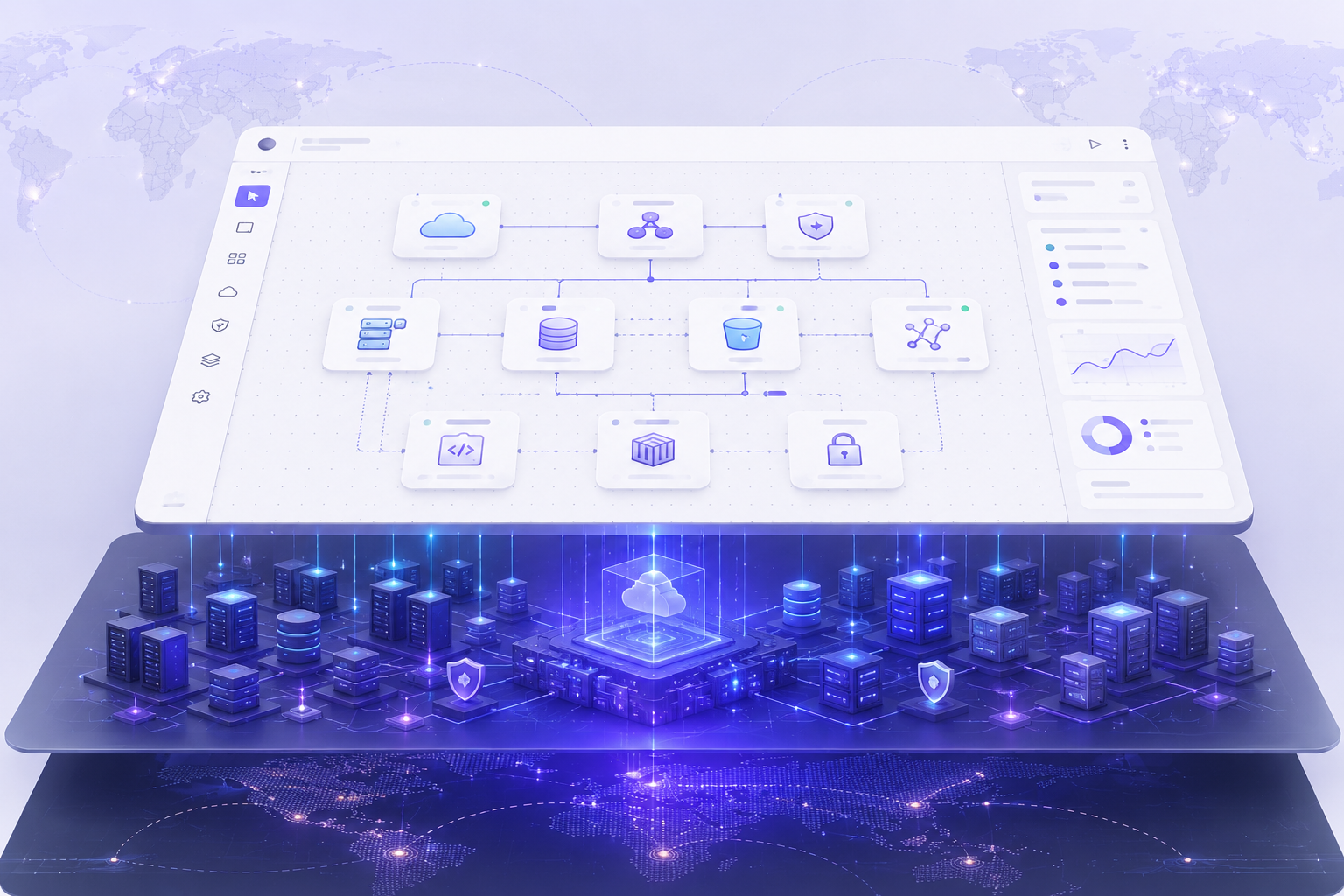
In Gateways, cloud resources exist as part of a visual architecture graph. Teams can understand systems the way they are actually structured: as connected components across environments, projects, regions, and providers.
That visual model is not just cosmetic. It creates practical advantages:
- New team members can understand infrastructure faster.
- Developers can identify service relationships without reading multiple files.
- Teams can reason about architecture before making changes.
- Infrastructure reviews become easier because the system is visible.
- Operational issues are easier to investigate when dependencies are clear.
This matters because infrastructure is no longer managed only by DevOps specialists. It is part of how product teams build, ship, scale, and debug software.
A visual model makes infrastructure accessible to more people without removing the control that technical teams need.
Gateways as a Terraform Alternative for Teams That Want Usability First
Terraform is a strong tool for defining infrastructure as code. It is widely adopted because it gives teams a consistent way to provision resources across cloud providers. For platform teams with dedicated infrastructure expertise, Terraform can be the right choice.
But many teams are not looking for another configuration layer. They are looking for a simpler way to deploy and manage infrastructure inside their own cloud accounts.
That is where Gateways becomes a serious alternative.
Gateways is designed for teams that want the benefits associated with modern deployment platforms and cloud infrastructure ownership, without having to manage everything through YAML, HCL, or raw cloud dashboards.
With Gateways, teams can:
- Deploy applications into their own AWS, Google Cloud, or Azure accounts.
- Manage infrastructure visually instead of only through configuration files.
- Connect resources through a live architecture canvas.
- Clone environments and templates for repeatable setups.
- Operate multi-region systems with clearer visibility.
- Use a unified workspace for cloud resources, activity, environments, and operational workflows.
- Avoid being locked into a hosted platform’s infrastructure.
The key difference is that Gateways does not force teams to choose between simplicity and control. It gives teams a visual operating layer over infrastructure they own.
That makes it especially relevant for teams evaluating Terraform alternatives, infrastructure management tools, or deployment platforms that offer better usability without sacrificing cloud ownership.
Infrastructure as Code Defines. Gateways Helps You Operate.
A major limitation of traditional IaC workflows is that they are primarily designed around defining and provisioning infrastructure. That is important, but it is not the full lifecycle.
Teams also need to operate infrastructure after it exists.
They need to understand what is running, where resources live, how services connect, what changed, which environment is affected, and how to repeat a working setup safely.
IaC can support parts of this workflow, but it often does so indirectly. Teams still need dashboards, cloud consoles, monitoring tools, deployment logs, and internal documentation to understand the live system.
Gateways is built around the idea that infrastructure should be operationally visible by default.
That means the workspace is not just a provisioning layer. It becomes the place where teams interact with their cloud systems day to day.
This includes:
- Resource visibility
- Application deployment
- Environment management
- Resource connections
- Activity tracking
- Multi-cloud organization
- Multi-region infrastructure views
- Templates and cloning
- Cloud resource operations
This shifts the experience from “write configuration and apply it” to “see the system, understand it, and manage it.”
For many teams, that is a more natural way to work.
Repeatable Environments Without Heavy Configuration Overhead
One of the strongest arguments for Infrastructure as Code is repeatability. Teams want dev, staging, and production environments to be consistent. They want to recreate infrastructure reliably. They want to avoid configuration drift.
Gateways supports this need, but through a more visual and accessible workflow.
Instead of requiring every repeatable pattern to be expressed through modules, variables, and state management, Gateways allows teams to copy, clone, and template working environments.
This is a practical advantage for teams that need to move quickly.
A team can create a working architecture once, then reuse it for:
- Development environments
- Staging environments
- Production environments
- Client-specific deployments
- Regional expansions
- Testing and QA environments
- Multi-tenant infrastructure setups
This approach is especially useful because many teams do not want to design infrastructure from scratch every time. They want to reuse what already works.
Gateways makes repeatability more approachable by turning working infrastructure into reusable visual systems.
Multi-Cloud and Multi-Region Without Losing Clarity
As applications grow, teams often need more than a single deployment environment. They may need multiple regions for latency, redundancy, or compliance. They may also want the option to choose between AWS, Google Cloud, and Azure depending on workload requirements, pricing, customer location, or existing cloud commitments.
Traditional IaC can support multi-cloud and multi-region setups, but the complexity increases quickly. Provider configuration, region-specific variables, networking differences, resource naming, environment separation, and state management all require careful planning.
Gateways is designed to make these setups easier to understand and operate visually.
Because Gateways supports major cloud providers, teams can work with infrastructure across AWS, Google Cloud, and Azure while maintaining a consistent operational experience. The advantage is not just that multiple providers are supported. The advantage is that teams can see and manage those environments through one visual workspace.
That matters because multi-cloud and multi-region systems are not only provisioning challenges. They are also operational clarity challenges.
Gateways helps teams answer practical questions faster:
- Which resources are running in which region?
- Which services are connected?
- Which environment does this resource belong to?
- What is duplicated across regions?
- How can we clone this architecture safely?
- Where do we need more control or visibility?
This is where visual infrastructure becomes more than a convenience. It becomes a better operating model for increasingly distributed systems.
Why This Matters for Developer Experience
Developer experience is often discussed in terms of deployment speed, but it is broader than that.
A strong developer experience means developers can understand the system, make changes confidently, recover from issues quickly, and collaborate without unnecessary operational friction.
YAML-heavy infrastructure workflows often create a narrow definition of control. They provide control through files, syntax, plans, and pipelines. That works for infrastructure specialists, but it does not always create a smooth experience for product engineering teams.
Gateways provides control through visibility, interaction, and ownership.
Developers do not need to give up the cloud. They do not need to move workloads into a black-box platform. They can keep infrastructure in their own cloud accounts while using a simpler interface to manage it.
That is a significant shift.
The future of cloud infrastructure will not be defined only by who can automate the most resources. It will be defined by who can make powerful infrastructure easier for teams to use responsibly.
Visual Infrastructure Does Not Mean Less Power
A common misconception is that visual tools are less powerful than code-based tools. That may be true for shallow dashboards, but it is not true for a well-designed cloud operations platform.
Gateways is not a static diagramming tool. It is an operational workspace for real cloud infrastructure. The visual canvas is not just documentation. It represents actual resources, relationships, environments, and workflows.
This is what separates visual cloud infrastructure from generic architecture diagrams.
Gateways gives teams a more approachable way to manage infrastructure while preserving the benefits of running directly inside major cloud providers. That means teams still benefit from the reliability, scalability, and ecosystem of AWS, Google Cloud, and Azure.
The difference is that they do not have to interact with that infrastructure only through raw consoles or code-heavy workflows.
The Better Question: What Should Be Code, and What Should Be Visual?
The future is not necessarily about eliminating Infrastructure as Code completely. Large organizations may still use code-based workflows for governance, compliance, deep automation, and advanced platform engineering.
But most teams should question whether every infrastructure interaction needs to start in a configuration file.
Some workflows are better handled visually:
- Understanding architecture
- Connecting resources
- Reviewing dependencies
- Managing environments
- Cloning working systems
- Operating multi-region infrastructure
- Onboarding new team members
- Investigating what changed
- Explaining infrastructure to non-specialists
Gateways is built for these workflows.
It gives teams a visual layer where infrastructure becomes understandable and manageable without requiring every action to be expressed through YAML or HCL.
That is why Gateways is not just a deployment tool. It is a cloud operations console for infrastructure teams own.
Final Thoughts
Infrastructure as Code was a major step forward. It helped teams move away from manual configuration and toward repeatable cloud automation.
But IaC is not the final interface for cloud infrastructure.
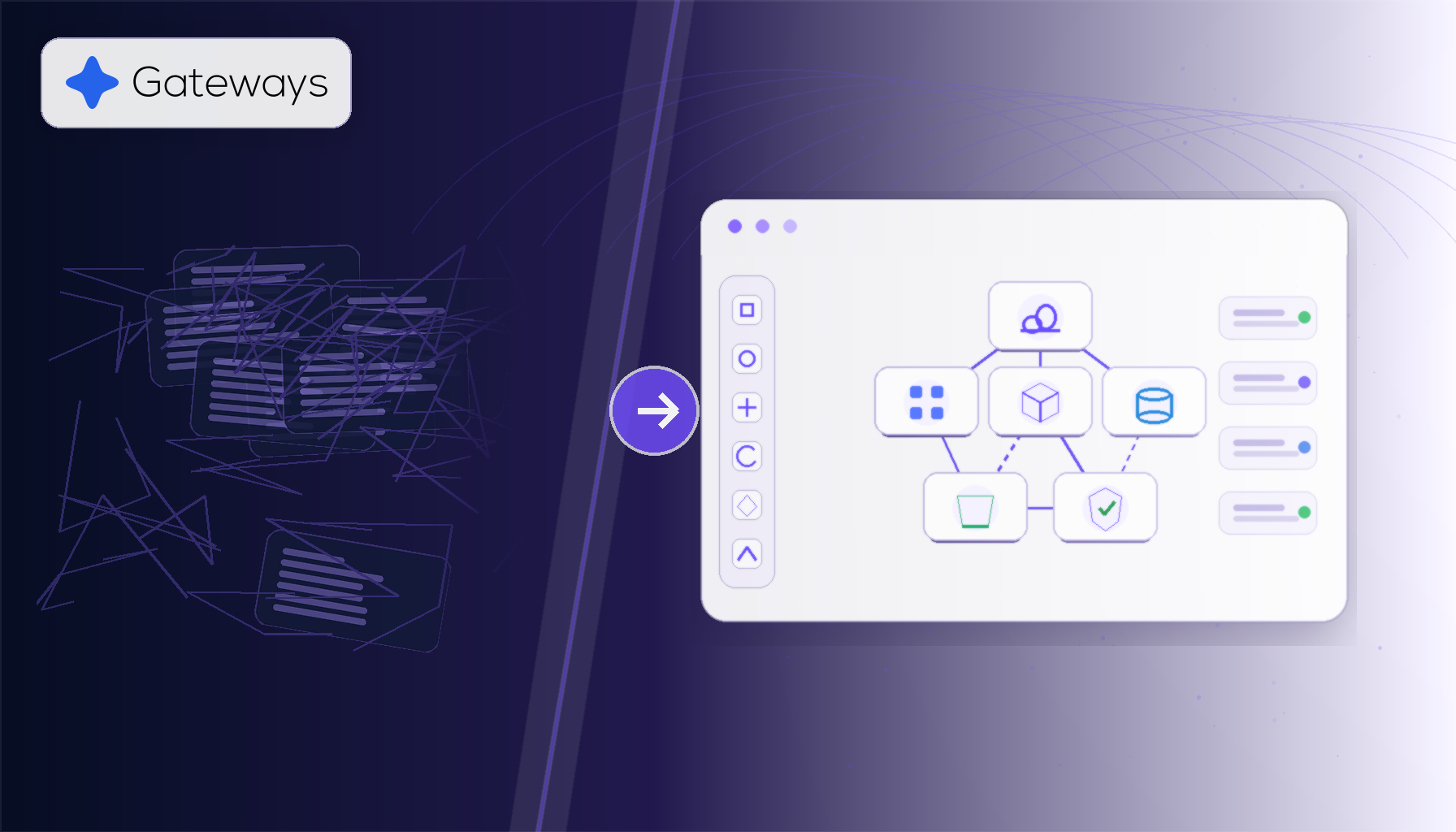
For many teams, the next challenge is not automation. It is usability. It is visibility. It is reducing the distance between developers and the systems they operate. It is helping teams deploy, manage, clone, and scale infrastructure without making every workflow depend on complex configuration files.
Gateways represents this next step.
It brings the clarity of visual infrastructure together with the control of owning your cloud. It gives teams a simpler alternative to code-heavy infrastructure workflows, while still allowing them to run directly on AWS, Google Cloud, or Azure.
For teams looking for a Terraform alternative that prioritizes usability, visibility, and developer experience, Gateways offers a different path.
Not less infrastructure control.
A better way to use it.